
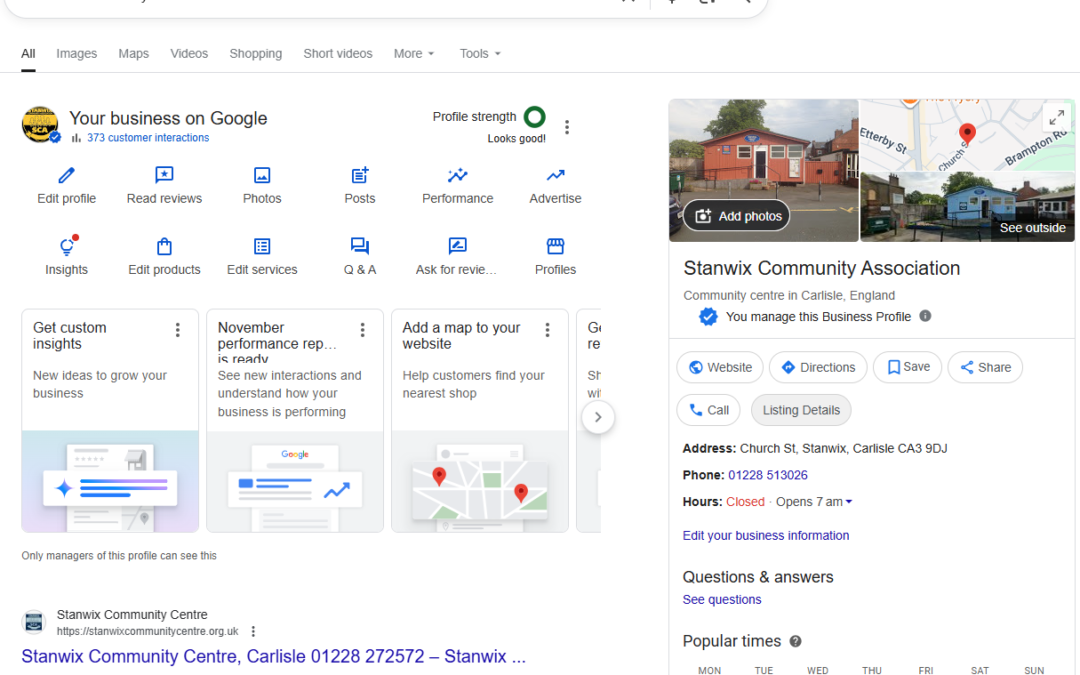
Google Business Profiles seem to be in a state of constant flux! In the past fortnight a small but very welcome update to the GBP interface in the UK, is the ability to schedule posts in advance. If you manage your own local marketing, this is one of those helpful improvements that removes a lot of faff and makes it far easier to stay consistent.
I’ve recorded a quick walkthrough video using one of the profiles I help to look after — the Stanwix Community Association — while also giving a plug for their upcoming Roman Artefacts talk on 12 December. But if you prefer to skim the written version, here’s everything you need to know.
Why Post Scheduling Matters
For smaller local businesses and community groups, keeping your Google Business Profile updated is one of the simplest ways to stay visible. But life gets busy. December and the run up to the Christmas and New year madness gets very busy. We all forget to publish things we meant to share.
Scheduling solves this problem.
You can now line up your posts for the week (or the whole month), and Google will publish them at the time you choose — no more logging in late at night to push something live.
Where to Find the New Scheduling Option
Google has a habit of rearranging the interface every few months, but at the time of writing:
- Open Google Business Profile.
- Select the business you want to edit.
- Look for Posts (the icon may be labelled Updates depending on your view).
Click the blue button labelled “Add post”. Then choose one of the specific post types:
-
Update
-
Offer
-
Event
For the example in my video, I used an Event post for the Stanwix Association’s evening talk.
Creating a Post
A standard Google post includes:
-
A title
-
A short descriptive text
-
One or more images
-
Optional links or call-to-action
-
For event posts: title, date, time and optional additional details
Type in the information exactly as you want it to display. Keep it clear, keep it relevant, and avoid stuffing it with phrases you think Google wants to see — clarity always wins.
How to Schedule Your Post
This is the new bit and for once it’s dead simple!
Once your post is ready:
- Look for the Schedule option (usually just beow the description field).
- Choose the date and time you’d like it to appear.
- Confirm.
That’s it. Your post will sit quietly in the background until release day.
And if things change?
You can click into your scheduled post and edit, reschedule or delete it.
Practical Uses for Local Businesses and Organisations
GBP Post Scheduling is especially handy for:
-
Announcing events or workshops ahead of time
-
Sharing seasonal hours (Christmas Eve / New Year updates)
-
Promoting gift vouchers, festive deals, or last-minute availability
-
Posting regular service updates without having to remember each one
-
Batching your content into one short session each month
It’s also useful for community groups — like the Stanwix Community Association — who want to promote their programme of events without relying on volunteers being available at the right moment.
Final Thoughts
This isn’t a dramatic update, but it is a genuinely helpful one. Anything that reduces friction for you and keeps your local business visible is a win in my book – and hopefully yours. As you can see from the following morning – it works!


And as always, if you want your Google Business Profile to work harder for you, just give me a shout.